Difference between revisions of "Cane Assumptions"
Jump to navigation
Jump to search
| Line 27: | Line 27: | ||
===Other Crops=== | ===Other Crops=== | ||
''' To enter a non-cane crop, enter the total area dedicated to these crops via | ''' To enter a non-cane crop, enter the total area dedicated to these crops via "Add Cane Assumption" -> "Select Cane Type" -> "Other Crops Year 1 (and Other Crops Year 2, if required)".''' | ||
* This will create a total area for other (non-cane) crops. | * This will create a total area for other (non-cane) crops. | ||
Latest revision as of 03:32, 28 June 2023
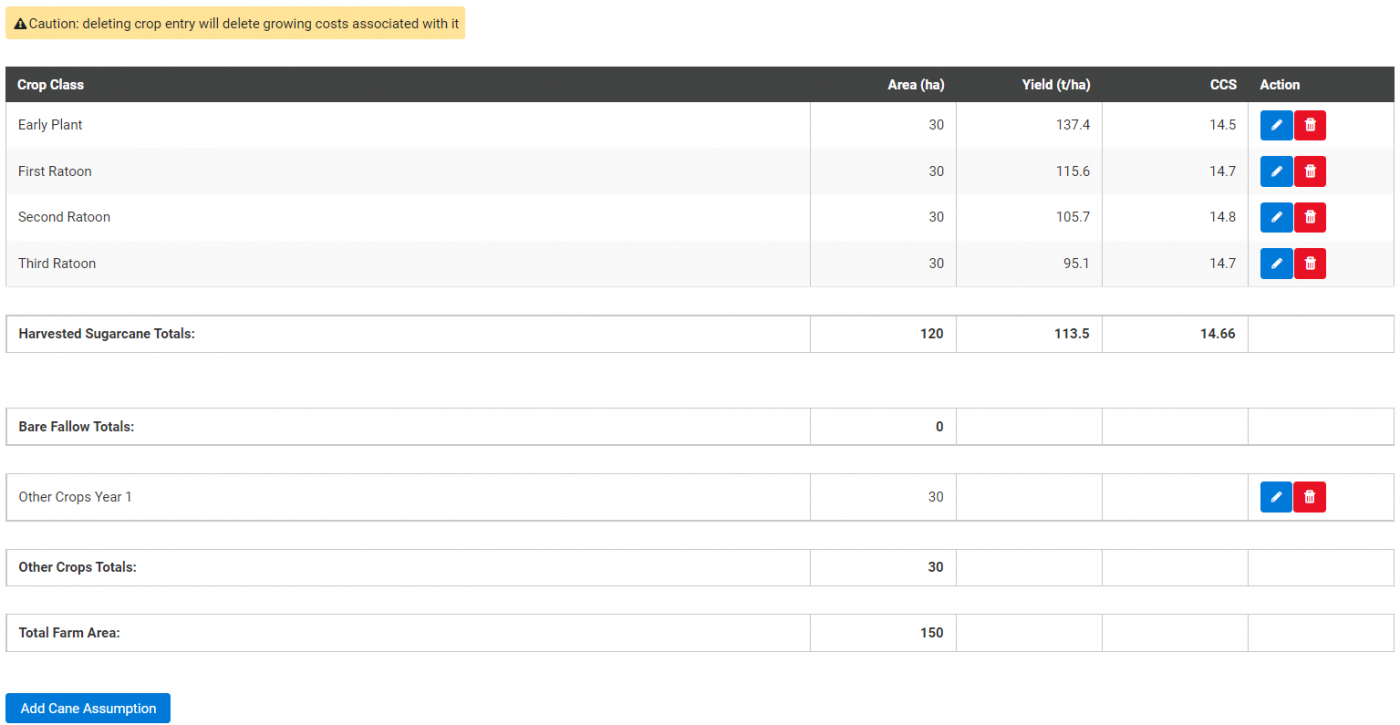
This page is for entering cane growing area, yield and CCS for each crop class. Other Crops information for area should also be entered in, if applicable.
Entering a Crop Class
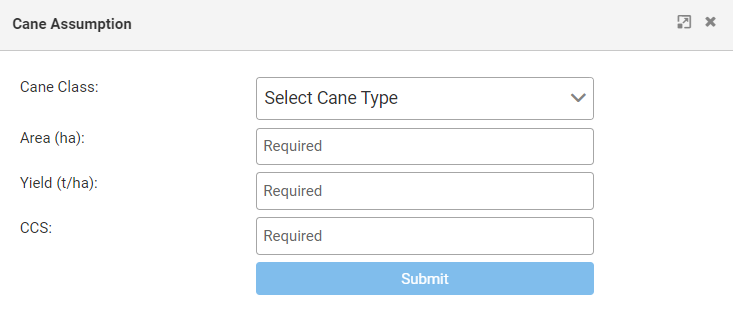
Start by clicking the "Add Cane Assumption" button, then select a crop class from the drop down box.
Entering Area
Enter an area in hectares for each crop class grown on the farm.
- A simple way to do this is to divide total cane growing area by the average number of ratoons, plant crop and fallow.
- For example, if the total cane growing area is 150ha and four ratoons are grown on average, then 150ha divided by 6 equals 25 ha per crop class and fallow area (e.g. 6 is calculated by summing 4 ratoon crops + plant crop + fallow).
Entering Yield and CCS
1. Enter long term average yield and CCS values.
2. Click submit and follow the same process for other crop classes.
- Important note: Deleting a crop entry will delete all of the growing costs associated with it on the Cane Growing Costs or Other Crops Growing Costs pages.
Other Crops
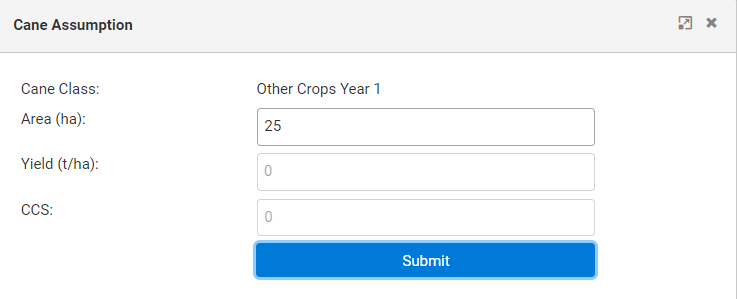
To enter a non-cane crop, enter the total area dedicated to these crops via "Add Cane Assumption" -> "Select Cane Type" -> "Other Crops Year 1 (and Other Crops Year 2, if required)".
- This will create a total area for other (non-cane) crops.
- The specific details of these crops (yield, price, etc.) can then be filled out via the Other Crop Assumptions page.