Difference between revisions of "Assets"
Jump to navigation
Jump to search

| Line 1: | Line 1: | ||
This page is used to | This page is used to record total farm assets. Values for certain sections can then applied with a [[Depreciation ]] rate to calculate a total Annual Depreciation figure, shown in the Fixed Costs page. | ||
Add assets by following these steps: | Add assets by following these steps: | ||
| Line 5: | Line 5: | ||
# Enter an estimated value of your land including the value of all fixed improvements ($). For example, dams, buildings, etc. Note this will not form part of the depreciation costs. | # Enter an estimated value of your land including the value of all fixed improvements ($). For example, dams, buildings, etc. Note this will not form part of the depreciation costs. | ||
# If you have entered machinery values (etc.) into the full Depreciation Schedule (using option 2), the value of plant and machinery will be shown here. If not, then please enter an estimated current value of all plant and machinery. | # If you have entered machinery values (etc.) into the full Depreciation Schedule (using option 2), the value of plant and machinery will be shown here. If not, then please enter an estimated current value of all plant and machinery. | ||
# Enter the value of any livestock ($), if applicable. | # Enter the value of any livestock ($), if applicable. Note this will not form part of the depreciation costs. | ||
# Estimate the value of any inventory ($). For example, fertiliser. | # Estimate the value of any inventory ($). For example, fertiliser. Note this will not form part of the depreciation costs. | ||
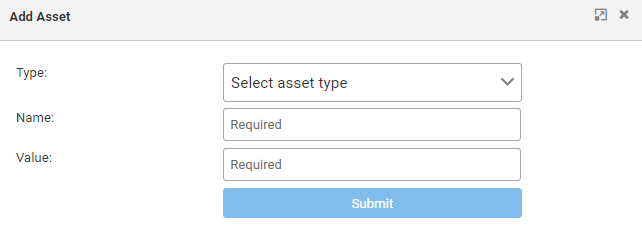
# Enter additional assets as required ($). | # Enter additional assets as required ($). Note this will not form part of the depreciation costs. | ||
Revision as of 05:26, 10 October 2022
This page is used to record total farm assets. Values for certain sections can then applied with a Depreciation rate to calculate a total Annual Depreciation figure, shown in the Fixed Costs page.
Add assets by following these steps:
- Enter an estimated value of your land including the value of all fixed improvements ($). For example, dams, buildings, etc. Note this will not form part of the depreciation costs.
- If you have entered machinery values (etc.) into the full Depreciation Schedule (using option 2), the value of plant and machinery will be shown here. If not, then please enter an estimated current value of all plant and machinery.
- Enter the value of any livestock ($), if applicable. Note this will not form part of the depreciation costs.
- Estimate the value of any inventory ($). For example, fertiliser. Note this will not form part of the depreciation costs.
- Enter additional assets as required ($). Note this will not form part of the depreciation costs.

