Difference between revisions of "Compare FPI"
Jump to navigation
Jump to search
| Line 10: | Line 10: | ||
[[File:Compare FPI.png|1000px|frameless|center]] | [[File:Compare FPI.png|1000px|frameless|center]] | ||
===Physical Indicators=== | |||
. | |||
[[File:Compare FPI Physical.png|1000px|frameless|center]] | |||
===Resource Indicators=== | |||
. | |||
[[File:Compare FPI Resources.png|1000px|frameless|center]] | |||
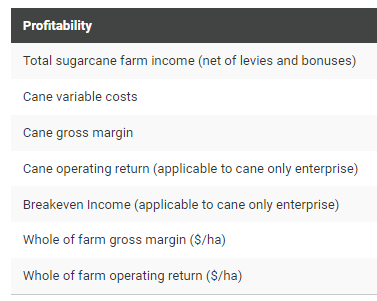
===Profitability Indicators=== | |||
. | |||
[[File:Compare FPI Profitability.png|1000px|frameless|center]] | |||
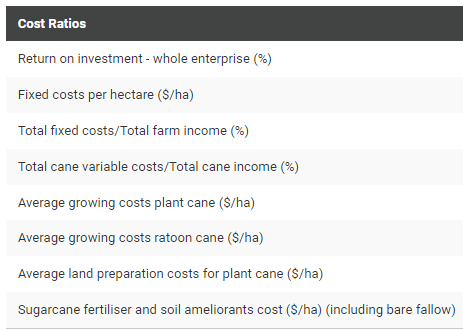
===Cost Ratio Indicators=== | |||
. | |||
[[File:Compare FPI Cost Ratios.png|1000px|frameless|center]] | |||
Revision as of 04:16, 2 February 2022
How to get to the Compare FPI Page
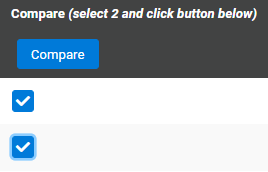
Compare scenarios by checking the boxes of two scenarios and clicking the ‘Compare’ button.

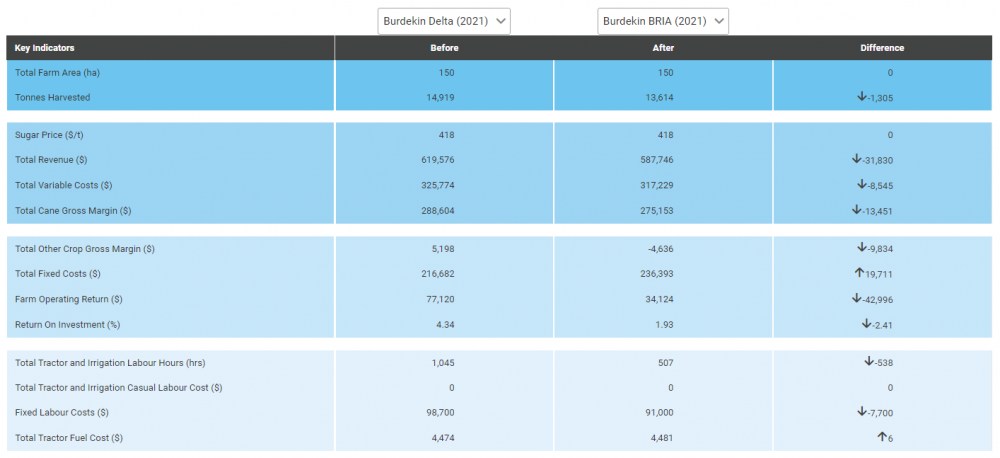
Key FPI Indicators
This function compares the profitability of two different scenarios as well as various other key Farm Performance Indicators. For example, important measures like Gross Margin, Operating Return, Return on Investment and Casual Labour Hours are compared between two different management practice or farming system scenarios.

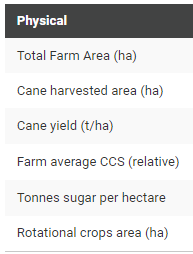
Physical Indicators
.

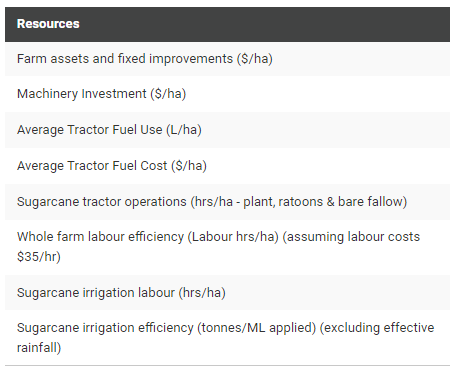
Resource Indicators
.

Profitability Indicators
.

Cost Ratio Indicators
.
