Difference between revisions of "Scenario Home"
Jump to navigation
Jump to search
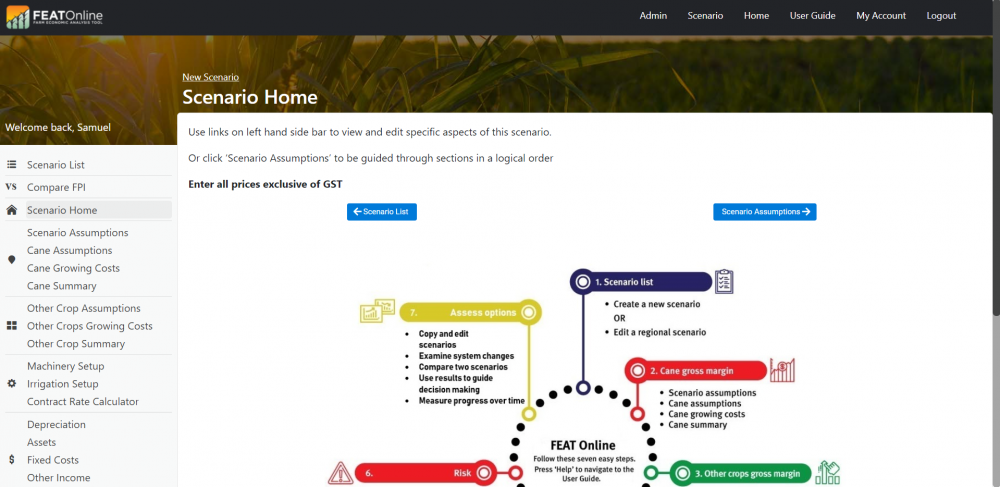
(Created page with "This page shows a flow diagram illustrating the process involved when developing a FEAT scenario. Users can select the next button with the right arrow to start or alternativ...") |
|||
| Line 2: | Line 2: | ||
Users can select the next button with the right arrow to start or alternatively select a heading on the left hand side. It is recommended that first time users follow the next buttons by pressing the arrows on the bottom of the page (the ‘user wizard’). | Users can select the next button with the right arrow to start or alternatively select a heading on the left hand side. It is recommended that first time users follow the next buttons by pressing the arrows on the bottom of the page (the ‘user wizard’). | ||
[[File:Scenario Home.png|1000px|frameless|left]] | |||
Revision as of 04:19, 27 January 2022
This page shows a flow diagram illustrating the process involved when developing a FEAT scenario.
Users can select the next button with the right arrow to start or alternatively select a heading on the left hand side. It is recommended that first time users follow the next buttons by pressing the arrows on the bottom of the page (the ‘user wizard’).
